Project Breakdown - Playroom Parkour
Intro
This project was a collaborative effort to bring a playful Toy Story-inspired scene to life. Working alongside talented artists, I contributed to the simulation effects, focusing on realistic foam bursting from a toy box and animated cubes that tumble with the character's movement. Using Houdini for procedural modeling and simulation, and Maya for final rendering, we aimed to create an immersive, dynamic miniature world. This breakdown will highlight my contributions and the creative steps involved in crafting these interactive effects.

Maya

Houdini
Maya
Houdini
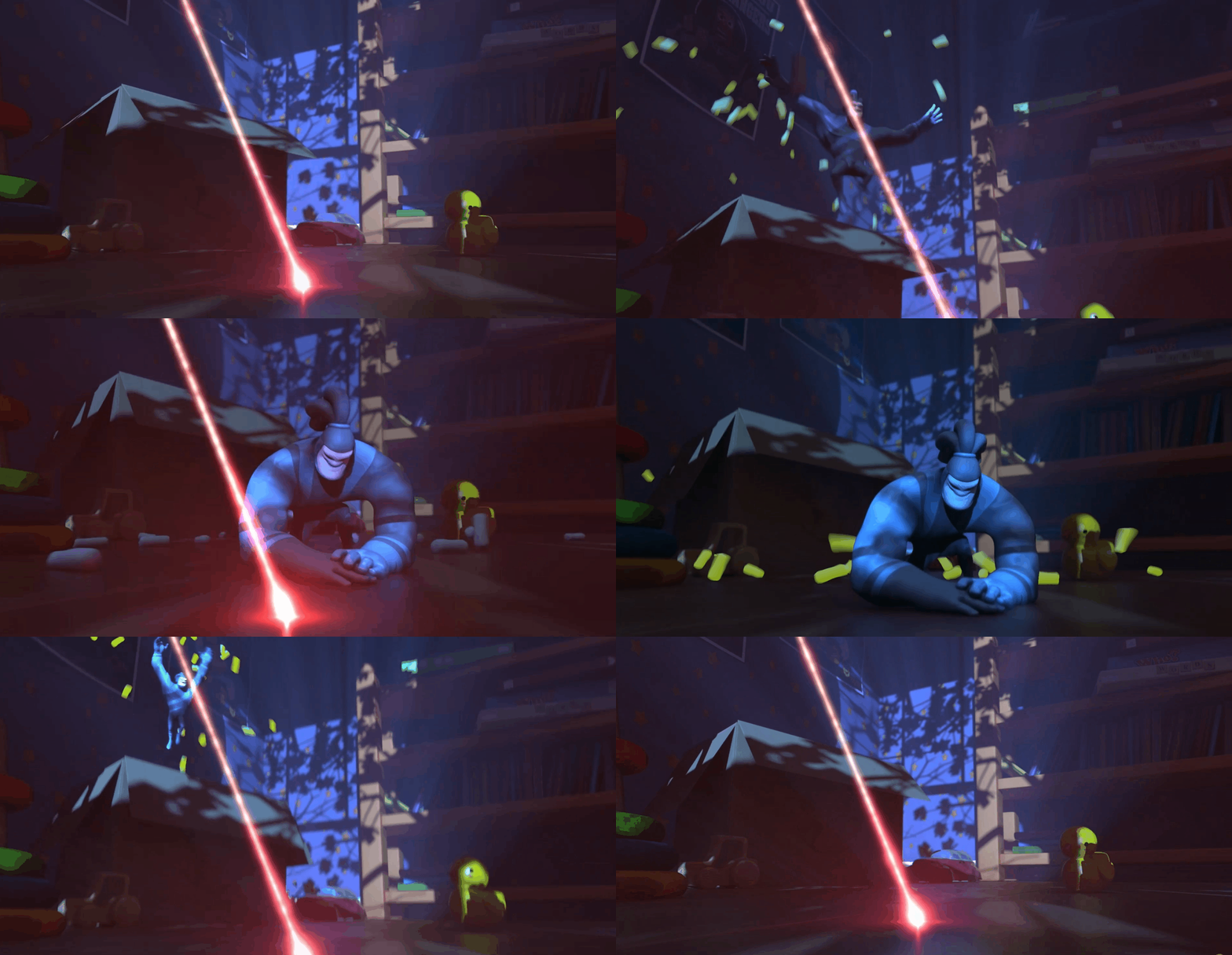
Foam Simulation in Houdini
I started by importing the character's Alembic animations into Houdini. To create the foam effect, I used procedural modeling to generate an isopor (foam) mesh, setting up multiple foam pieces using the "scatter" and "copy to points" nodes. I strategically placed these foam pieces along the character's path for a dynamic interaction.
After positioning the foam pieces, I simulated their collisions with the character, box, and ground. Adjusting the collision properties and simulation parameters allowed the foam to behave naturally, bouncing and reacting like lightweight foam as it hit the ground.
To add an extra layer of realism, I created a special foam piece on the ground near the plane so that, as the character rolls, their hand pushes it back, enhancing the interactive feel.
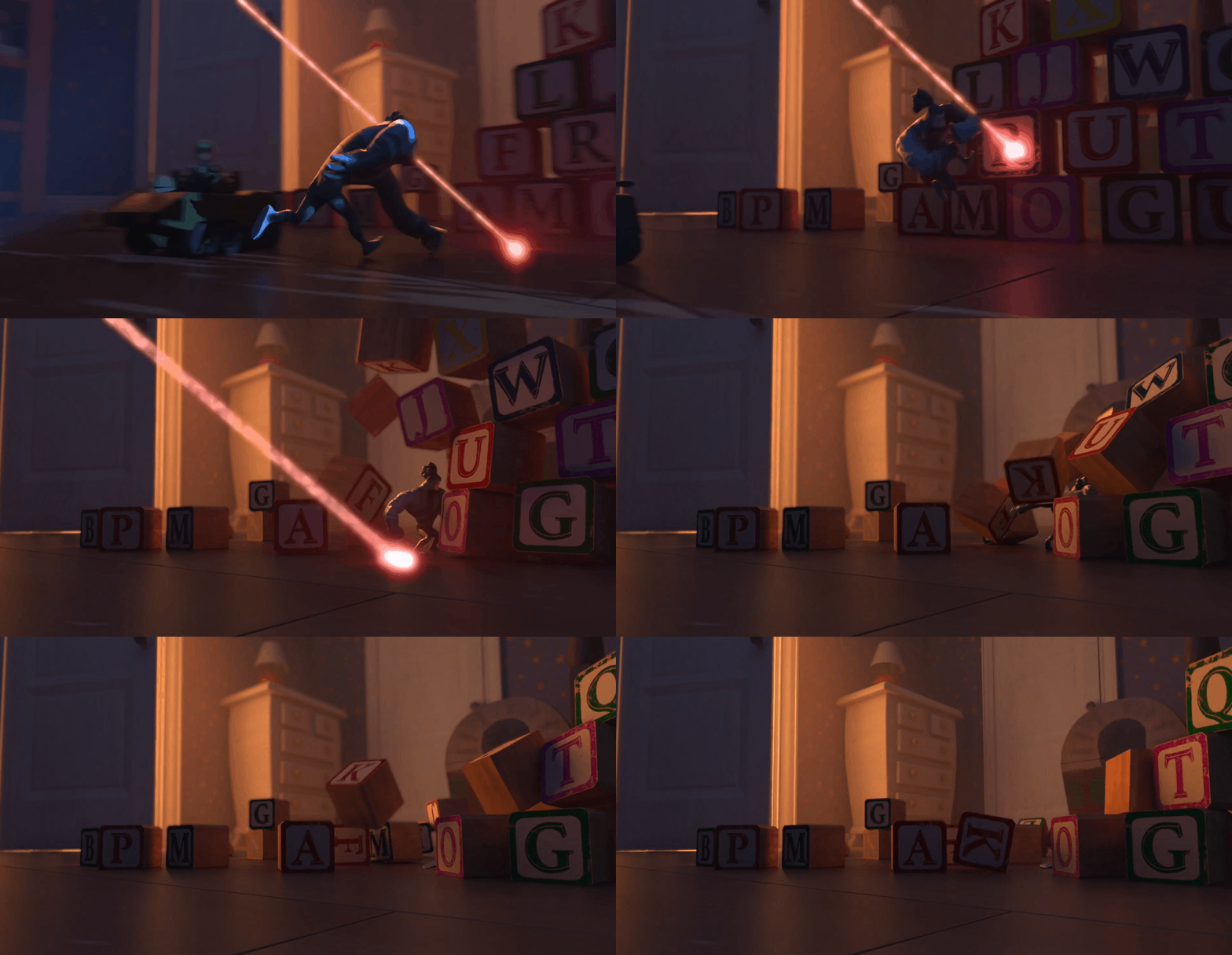
Cube Simulation with Character Interaction
For the cubes that fall at the end, I imported the models into Houdini and used constraints to keep them in place until the character collided with them. Using the Bullet Solver, I set up a dynamic simulation where the cubes would respond to the character's movements.
When the character made contact, I applied controlled forces to the cubes, ensuring the collision revealed just enough of the character to keep them in focus. I also added drag to the cubes, reducing their speed to avoid drawing too much attention away from the main character during the sequence.
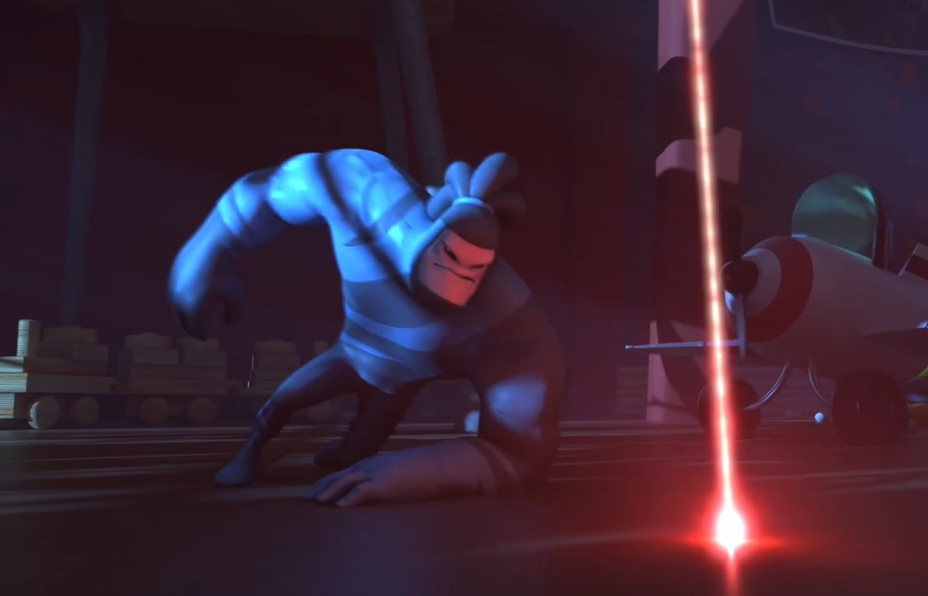
Export and Final Render
Once the simulations were complete, I baked and cached the results in Houdini to ensure consistent playback and optimize performance during export. After final adjustments, I exported the simulations as Alembic files.
In Maya, we integrated the Alembic files with the existing character animation and lighting setup, enabling a smooth and cohesive final render. This workflow allowed each element from the foam collisions to the falling cubes to interact seamlessly with the character and lighting, preserving the natural look and feel of the scene. This approach also ensured that all elements matched the original artistic vision.
Conclusion
Working on this Toy Story-inspired scene was a fantastic exercise in combining playful animation with detailed simulations. By leveraging Houdini's procedural modeling and simulation tools, I was able to create foam and cube interactions that felt both dynamic and true to the character's environment.
Each element, from the bouncing foam to the controlled falling cubes, contributed to the immersive feel of Andy's room as a lively playground. This project highlighted the importance of subtle effects in enhancing storytelling and allowed me to push my skills in crafting interactive and character-focused VFX.
Credits
Animation by Larissa Ribeiro 
Lighting by Ewan Chung